

Safe PLC Program Backup & Restore Guide for Beginners

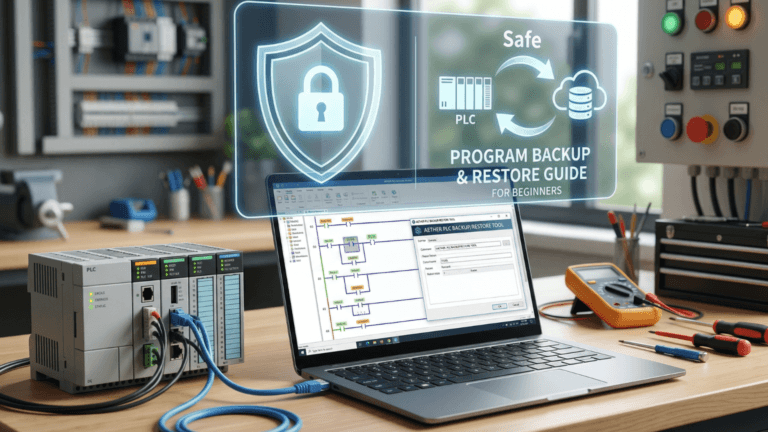
Have you ever imagined being in the middle of your internship or just your first week on the factory floor, when suddenly a massive packaging machine comes to a complete halt? The PLC indicator light flashes red (SF/Fault), the production manager starts pacing back and forth behind you, and you realize one terrifying thing: nobody knows where the machine’s latest program file is saved. Felt like a mini-apocalypse, right?
In the world of industrial automation, having great programming skills is fantastic. However, knowing how to perform a safe backup and restore procedure for PLC programs is the real sign that you are a mature and responsible engineer. Let’s break down how this “lifesaving” procedure is done, keeping it casual yet strictly safe.
Why PLC Backup is a “Must-Have” (It’s Not Just for College Assignments)
Back when I was a student, I thought a simple copy-paste to a flash drive was more than enough. In reality, on the factory floor, a PLC is essentially the “brain” of a giant robot. If that brain gets fried by a power surge or its internal memory gets corrupted, a multi-million dollar machine instantly turns into a pile of junk metal.
I often compare a PLC program to a “Saved Game” on a video game console. Imagine playing an RPG all the way up to level 99, and suddenly your console breaks. If you have a backup in the cloud or on external storage, you can just buy a new console and keep playing. But if you don’t? Well, enjoy restarting from level 1 while crying in the corner.
In the industrial sector, starting from scratch means hours of production downtime, which translates directly into massive financial losses. That is exactly why performing a PLC backup is a mandatory procedure before you even touch a single communication cable.
Backup Procedure: Pulling the “Soul” from Machine to Laptop
In the automation world, this step is commonly known as Uploading. Be careful not to mix it up! Uploading means you are retrieving data from the PLC into your laptop.
1. Preparing the “Weapons” (Cables & Software)
Before hitting the factory floor, make sure you have:
- The Right Software: The software version (such as TIA Portal, Studio 5000, or CX-Programmer) must perfectly match the PLC series.
- Communication Cables: Whether it is a LAN cable (Ethernet), a USB, or a specific RS-232 serial cable. Don’t end up standing in front of the machine panel only to realize you left your cable behind.
2. Verify Program Versions
Always run a Compare check between the program on your laptop and the one currently inside the PLC. Never restore a year-old program version into a machine that just underwent mechanical modifications last month. If you force it, the machine could crash, or sensors might fail to read due to mismatched I/O addressing.
3. Download Process & Test Run
Once the download is complete, don’t just run off to the cafeteria. Switch the PLC back to Run Mode. Monitor the machine’s movement cycles closely for a bit. Make sure there are no strange noises or abnormal movements.
Common Rookie Mistakes (And How to Avoid Them)
Based on my observations in the field, here are a few traps that new automation engineers frequently fall into:
- Forgetting to Backup Actual Values: Many beginners only backup the ladder diagram but forget the actual parameter values (like timers, counters, or temperature setpoints). When you restore it, the machine might run, but your products will end up burnt because the temperature setting reset to zero!
- Assuming All Cables Are the Same: This is especially true for older PLC models that still rely on serial communication. Always use original or proven cables. Using a DIY cable without proper shielding can break the data transfer midway—and that is highly dangerous!
- Underestimating Comments: Uploading a program without comments is like trying to read a book in a foreign language without a dictionary. You can see the words, but you have no clue what they actually mean. Always look for the original project file that contains the comments.
Conclusion: Be the Engineer Who Prepared Ahead
Being a PLC engineer isn’t just about how brilliant you are at creating complex interlocking logic. It is all about how safely you maintain the system to keep it running.
The safe backup and restore procedure for PLC programs is your ultimate safety belt. It might feel tedious at first, but it is exactly what distinguishes an amateur from a seasoned professional.
So, before you start tweaking that ladder diagram tomorrow morning, ask yourself this simple question: “If my laptop explodes or this PLC fries right this second, do I have a backup ready?”
If your answer is “no,” you know exactly what you need to do right away!