

How to Simulate a PLC Without Hardware: A Practical Guide for Automation Engineers & Technicians

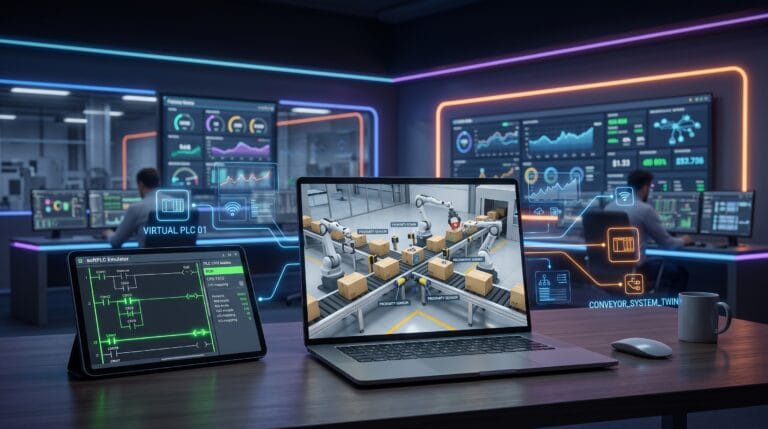
In the industrial automation world, testing control logic directly on physical hardware connected to machinery carries high risks. Misdesigning an interlock chain in a ladder diagram can cause mechanical collisions, actuator damage, and expensive production downtime.
As a content writer who has supported the development of the Industrial Internet of Things (IIoT) and automation sectors for over a decade, I always emphasize this core principle to technicians: always validate program logic through simulation before flashing it to a physical controller.
The good news is that you don’t need a physical PLC module worth thousands of dollars just to learn or validate control logic. This article covers how to simulate a PLC without hardware effectively, the software options used, real industrial case studies, and the transition stages to production hardware.
Why Is PLC Simulation Without Hardware Crucial?
Simulation is not just a learning tool for beginners; it is a Standard Operating Procedure (SOP) in modern automation systems engineering.
- Zero Financial and Safety Risk: Code errors in simulation software won’t burn Input/Output (I/O) modules or injure operators.
- Extreme Scenario Testing: You can trigger fault conditions—such as sudden sensor failure, current overload, or overheating—that are difficult or dangerous to test directly on real machinery.
- Rapid Prototyping: Developers can complete 80% of the programming logic before the physical electrical panel or wiring on the factory floor is even assembled.
3 Core Software Solutions for PLC Simulation Without Hardware
To run a simulation, you need two main components: a PLC Emulator (acting as the virtual brain) and a Visualizer (representing the physical machinery).
1. CODESYS Development System
CODESYS is an automation software platform based on the international IEC 61131-3 standard. Its flagship feature is CODESYS Control Win, a built-in SoftPLC emulator that turns your PC into a virtual controller without requiring additional hardware licenses. This platform is ideal for learning various industrial programming languages, such as Ladder Diagram (LD), Structured Text (ST), and Function Block Diagram (FBD).
2. Siemens S7-PLCSIM (Part of TIA Portal)
For users in the Siemens ecosystem, S7-PLCSIM is an industry standard. This software includes the full memory address table, timers, counters, and diagnostic buffer behavior identical to physical Siemens PLCs like the S7-1200 or S7-1500 series.
3. Factory I/O
To get a simulation experience closest to reality, combine your PLC emulator with Factory I/O. This software provides an interactive 3D environment featuring conveyors, photoelectric sensors, robotic arms, and push buttons. Factory I/O connects to your PLC emulator via communication protocols such as Modbus TCP/IP or OPC UA.
Step-by-Step: PLC Simulation Workflow
Here is a practical workflow for simulating a simple sorting conveyor system without using physical hardware:
1. Configure the SoftPLC Environment
Open CODESYS or TIA Portal and create a new project. Set the target device using the built-in emulator (e.g., CODESYS Control Win V3). Ensure the emulator background service in Windows is active.
2. Write the Control Logic (Ladder Diagram)
Build a basic logic circuit. For example, create a latching circuit to run a conveyor motor:
- Use a Normally Open (NO) contact for the START button (Address: %IX0.0).
- Use a Normally Closed (NC) contact for the STOP button (Address: %IX0.1).
- Connect to the motor Coil (Address: %QX0.0) and create a parallel contact from the Coil as a latch.
Plaintext
START (NO) STOP (NC) MOTOR (Coil)
—[ ] %IX0.0 —–/ %IX0.1 ———( %QX0.0 )—
| |
| MOTOR |
—[ ] %QX0.0 –
3. Memory Address Mapping (I/O Mapping)
Open Factory I/O and select the 3D Sorting Line scenario. Map the digital input/output variables from the Factory I/O environment to the corresponding PLC emulator memory addresses using the Modbus TCP driver.
4. Testing and Debugging
Run the simulation. Press the START button on the Factory I/O screen, then observe if the signal enters the virtual PLC and turns on the conveyor motor. If items passing by are not detected by the sensor, simply pause the simulation, adjust the timer values or logic in the ladder diagram, and retest within seconds.
Real Case Study: Testing an Automated Bottling Line
Implementing hardware-free simulation yields significant operational cost savings at an industrial scale. As a real-world example, a beverage manufacturing facility in Europe (as often discussed in Siemens Industrial Automation technical documentation) planned to update its cracked-bottle sorting line using vision sensors. Before deploying the program code to the main production system, the engineering team built a digital twin simulation using S7-PLCSIM and Factory I/O.
Simulation Test Results:
- Bugs Detected: The team discovered a race condition (logic sequence conflict) on the pneumatic pusher actuator. If two cracked bottles passed in close proximity, the pusher would jam in the middle position.
- Efficiency: This issue was resolved at the workbench within 2 hours.
- Savings: Had this logic flaw been uploaded directly to physical machines on the plant floor, the actuator risked colliding with the moving conveyor—potentially causing thousands of dollars in downtime and mechanical damage.
From Simulation to Real Industrial Implementation with Folks Automation
Hardware-free PLC simulation gives you theoretical certainty that program logic functions 100% correctly. However, the next challenge arises when that program must be embedded into a physical controller operating 24/7 in a dusty, high-temperature, and electromagnetically noisy factory environment.
This is where reliable, field-tested hardware plays a vital role. Folks Automation stands as Indonesia’s first locally manufactured PLC brand, experienced in nationwide industrial automation implementations.
Plaintext
[ Simulation Phase ] –> [ Logic Validation ] –> [ Hardware Implementation ]
(Software/3D) (Zero Risk) (Folks Automation PLC)
Why Transition from Simulation to Folks Automation Hardware?
- Industry Standard Architecture: Supports standard IEC 61131-3 programming languages, allowing programs written in simulation software to transfer seamlessly.
- Comprehensive Protocol Support: Equipped with Modbus, Ethernet, and IIoT integration (MQTT) for remote monitoring requirements.
- Direct Local Technical Support: You don’t have to wait for overseas support ticket responses when experiencing commissioning issues in the field. Folks Automation engineers are based in Indonesia and understand local industry characteristics.
Industrial Automation Solutions & Consultation
Starting a new automation project or looking to convert your simulation system into a factory-ready control panel? Don’t let technical bottlenecks slow down your business productivity. As a pioneer in local PLCs, Folks Automation provides integrated consultation services ranging from PLC spec selection and I/O system architecture to IoT integration strategies. Contact our expert team to discuss your industrial automation needs directly: WhatsApp / Phone: +62 821-1404-4968